
Human-in-the-Loop AI: Why Automation Should Not Mean No Review
Learn when AI should decide and when humans must stay in control — and how to design review workflows that automate the repetitive without removing accountability.

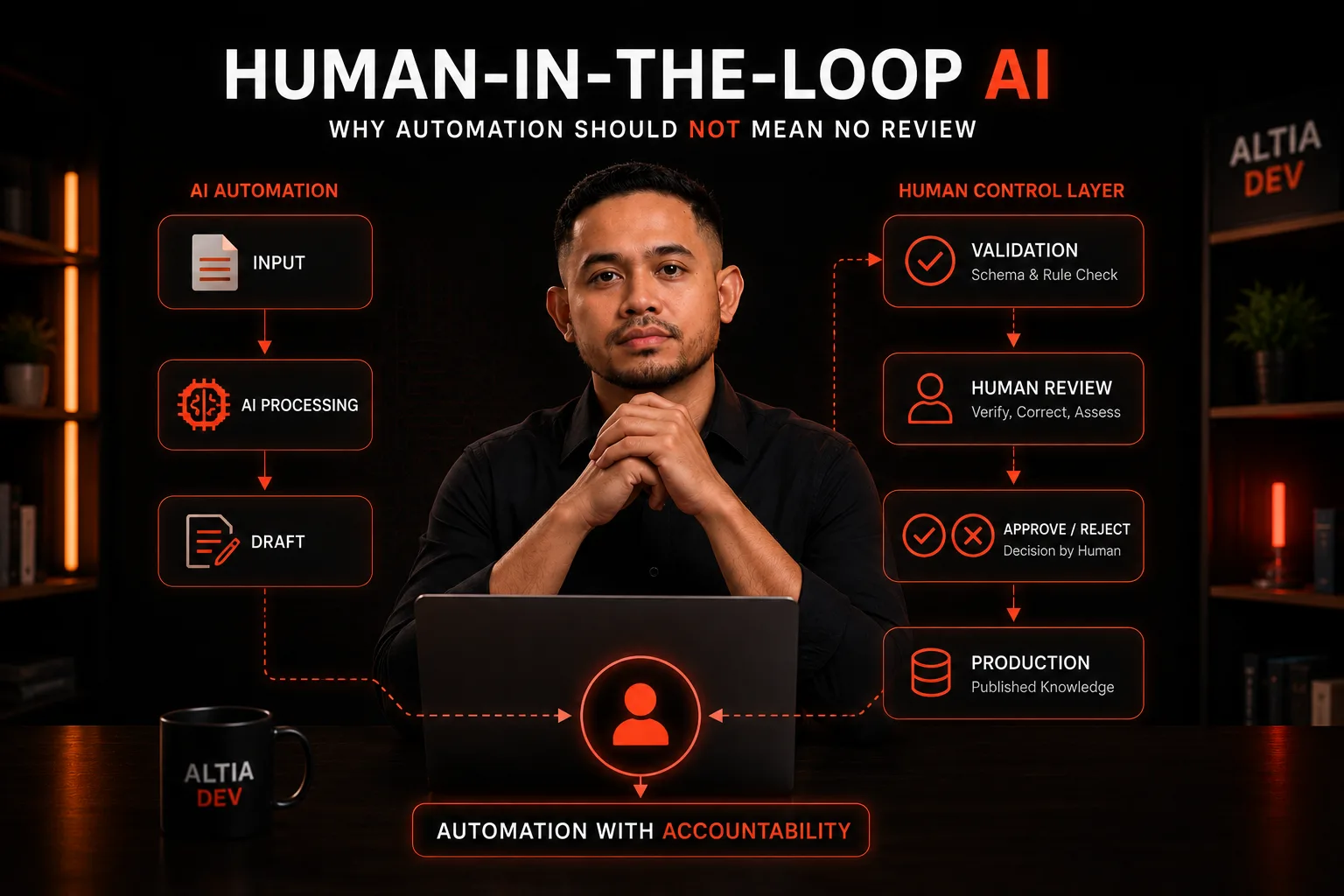
Table of Contents
AI automation is becoming increasingly good at producing useful output.
It can extract information, classify content, generate summaries, create structured data, and transform documents into knowledge.
But there is an important question that often gets skipped:
When should the AI be allowed to decide, and when should a human remain in control?
For a prototype, it can be tempting to build:
Input
  ↓
AI
  ↓
Output
For a business system, the workflow is usually more complicated:
Input
  ↓
AI Processing
  ↓
Draft
  ↓
Validation
  ↓
Human Review
  ↓
Approve / Reject
  ↓
Production
This is the idea behind human-in-the-loop AI.
The goal is not to prevent automation.
The goal is to automate repetitive work while keeping human judgment at the points where it matters.
Automation should reduce repetitive work, not remove accountability.
The Problem With "Fully Automated" AI #
The fact that an AI system can generate an output does not mean that output should immediately become production data.
Consider a document processing workflow.
An AI system may be able to generate:
Title
Category
Content
Metadata
The output may look perfectly reasonable.
But a business system still needs to ask:
This creates an important distinction:
AI Can Generate
       ≠
AI Can Automatically Publish
That distinction becomes especially important when AI output becomes part of a knowledge system.
The problem is not simply whether AI can produce something.
The problem is whether the system has enough control to trust that output in production.
What Human-in-the-Loop Actually Means #
Human-in-the-loop does not mean:
"Let AI do everything, then make a person manually check everything."
That would simply move the bottleneck to the end of the process.
A better definition is:
Human-in-the-loop is a system design where human judgment remains at defined decision points inside an automated workflow.
The human is not necessarily involved in every operation. Instead, the system deliberately identifies where human judgment adds value.
This is important because the objective is not maximum automation.
The objective is appropriate automation.
Automation Is Not the Same as Autonomy #
These concepts are often treated as interchangeable.
They are not.
Automation #
Automation means the system performs work that previously required manual effort.
For example:
PDF
 ↓
Extract
 ↓
Classify
 ↓
Generate Draft
A human may still control the final decision.
Autonomous Workflow #
An autonomous workflow goes further:
PDF
 ↓
AI
 ↓
Decision
 ↓
Publish
The system is now responsible for both processing and decision-making.
Neither approach is universally correct.
The appropriate level of autonomy depends on the consequences of getting a decision wrong.
A formatting task may tolerate complete automation.
A business knowledge item that employees rely on may require a stronger control layer.
This leads to a useful principle:
The higher the consequence of an incorrect decision, the more important explicit human control becomes.
Where Should Humans Stay in the Loop? #
Not every AI task requires the same level of human involvement.
A useful way to think about the workflow is by separating processing from judgment.
Tasks AI Can Often Handle #
Examples include:
Extract
Normalize
Format
Generate drafts
Suggest categories
Suggest titles
Classify
Summarize
These are often good candidates for automation.
Tasks That May Need Human Review #
Examples include:
Verify meaning
Correct interpretation
Approve content
Reject content
Decide publication
Confirm business relevance
The important point is not that AI cannot perform these tasks.
It is that the business may not want the AI to have the final authority over them.
A practical division of responsibility looks like this:
| AI | Human |
|---|---|
| Process | Verify |
| Generate | Correct |
| Suggest | Decide |
| Classify | Approve |
| Transform | Reject |
AI Output Should Be Treated as a Draft #
One of the simplest ways to improve an AI workflow is to change how the system thinks about AI output.
Do not automatically treat:
AI Outputas:
Final TruthInstead:
AI Output
     ↓
Draft
The draft can then move through validation and review.
For example:
PDF
 ↓
AI Processing
 ↓
Draft Knowledge
 ↓
Review
 ↓
Published Knowledge
This pattern is particularly useful for document-to-knowledge workflows.
The AI can perform the repetitive work of interpreting and structuring the document.
The human does not need to recreate the content manually.
The human only needs to decide whether the generated result is good enough to become production knowledge.
That is a much better use of human time.
Validation Before Human Review #
Human review is valuable, but that does not mean humans should be responsible for checking every technical property of an AI response.
Some checks can be automated first.
For example:
AI Output
    ↓
Schema Validation
    ↓
Required Fields?
Valid Category?
Content Present?
Expected Format?
    ↓
Human Review
This creates two different types of validation.
Machine Validation #
The system can check structural requirements:
Is the required field present?
Is the format valid?
Is the category allowed?
Is the content empty?
Does the output match the expected schema?
Human Validation #
The reviewer checks meaning and business context:
Does this actually represent the source?
Is the interpretation correct?
Was important context lost?
Is this appropriate to publish?
These are different responsibilities.
A valid JSON object does not mean the information inside it is correct.
Likewise, a human should not have to spend time checking something the software can validate automatically.
A strong workflow therefore separates structural validation from human judgment.
Designing the Review Workflow #
A practical review workflow can be represented as:
flowchart TD
    A[Document] --> B[AI Processing]
    B --> C[Draft Knowledge]
    C --> D[Machine Validation]
    D --> E[Human Review]
    E -->|Approve| F[Publish]
    E -->|Reject / Edit| C
The important architectural decision is that review is part of the workflow, not something added manually after the AI feature has been built.
The application should understand that generated content has a lifecycle.
Conceptually, that lifecycle might look like:
draft
   ↓
pending_review
   ↓
approved
   ↓
published
with possible rejection or editing paths.
The exact implementation depends on the application.
The principle is more important:
AI-generated content should have an explicit state between generation and publication.
That makes the workflow easier to reason about, audit, and evolve.
Human Review Is a Quality Gate #
Human review should not be treated as evidence that automation has failed.
It should be treated as an architectural quality gate.
Software engineering already uses similar patterns:
Code
 ↓
Build
 ↓
Test
 ↓
Deploy
The system does not assume that generated code should immediately go into production.
AI-generated knowledge can follow a similar principle:
Generate
 ↓
Validate
 ↓
Review
 ↓
Publish
The purpose is not to make the process unnecessarily complicated.
The purpose is to create a controlled transition between:
machine-generated output
and
production information.
This distinction becomes increasingly important when AI output is consumed by other people, systems, or business workflows.
A Real-World Knowledge Management Workflow #
This pattern can be seen in the document-processing workflow of the VADS Knowledge Management System.
The system was built from scratch with Laravel and uses Meilisearch as its search layer. It supports multiple projects, with project-specific users and knowledge contexts.
One of its AI-assisted document workflows can be represented as:
PDF
 ↓
Read
 ↓
Understand Structure
 ↓
Generate Title / Category / Content
 ↓
Admin Review
 ↓
Publish
The important architectural decision is not simply that AI processes the document.
It is that the AI-generated knowledge enters a review workflow before publication.
This gives the system a useful division of responsibility:
AI
 ↓
Interpret and Generate

Admin
 ↓
Review and Approve

System
 ↓
Publish and Make Available
The project also integrates with MARS Outbound, QMS, and CRM. These integrations reinforce an important point: AI processing is one component inside a broader business application rather than the entire application itself.
The available project material does not establish particular AI models, accuracy metrics, or autonomous publishing behavior. Those should not be inferred from the workflow.
What Should Be Automated and What Should Not? #
A useful starting framework is:
| Activity | Automation | Human |
|---|---|---|
| Read document | High | Low |
| Extract information | High | Low |
| Generate draft | High | Review |
| Suggest category | High | Review |
| Validate schema | High | — |
| Check business meaning | — | High |
| Correct interpretation | — | High |
| Approve publication | — | High |
This is not a universal rule.
The right boundary depends on the application and the consequences of incorrect output.
The important principle is:
Automate the repetitive. Review the consequential.
Design for the Right Level of Automation #
Human-in-the-loop does not mean that more human involvement is always better.
A poorly designed workflow can become:
AI
 ↓
Human checks everything
 ↓
Human rewrites everything
 ↓
Human publishes
At that point, the AI may have reduced very little work.
The objective is to minimize unnecessary human involvement while preserving meaningful human control.
A good system should continually ask:
What can the machine reliably handle?
What actually requires human judgment?
As a workflow becomes more mature, teams may find that some checks can be automated while others should remain human decisions.
The important thing is to use evidence from the actual workflow rather than assuming that maximum autonomy is always the goal.
Automation should increase when the system has earned the right to automate more.
Auditability Matters #
Once AI participates in a production workflow, it becomes useful to know what happened to an output.
A mature system may need to answer questions such as:
What generated this content?
When was it generated?
Who reviewed it?
What was changed?
Who approved it?
When was it published?
This is particularly relevant when knowledge becomes part of a business system.
The goal is not necessarily to build a massive audit framework for every AI feature.
It is to preserve enough traceability to understand how production information came into existence.
That makes troubleshooting and accountability much easier.
Common Human-in-the-Loop Mistakes #
1. Treating AI Output as Final Data #
AI
 ↓
Database
is not necessarily a production-ready architecture.
A better model for consequential knowledge is:
AI
 ↓
Draft
 ↓
Validation
 ↓
Review
 ↓
Production
2. Adding Human Review Too Late #
If review is introduced only after the AI feature is complete, the application may lack the states, permissions, and workflows needed to support it properly.
Review should be considered during architecture design.
3. Making Humans Validate Things Machines Can Validate #
If software can check schema validity, required fields, or allowed categories, humans should not spend their time doing those checks manually.
Human attention is more valuable when applied to meaning and judgment.
4. Giving Humans No Clear Decision #
A review screen should answer:
What exactly am I being asked to decide?
Possible decisions might be:
Approve
Edit
Reject
The workflow should make the responsibility explicit.
5. Treating Human Review as a Permanent Bottleneck #
If every output requires extensive manual work, the team should investigate why.
Possible improvements include:
Better prompts
+
Better schemas
+
Machine validation
+
Better UI
+
Better source structure
Human-in-the-loop should be a control mechanism, not an excuse for inefficient workflow design.
How We Would Design It #
For a business knowledge workflow, our preferred architecture follows a few principles:
Use AI where interpretation or transformation can save significant manual effort.
Do not use humans to perform checks that software can perform reliably.
Especially when incorrect output could become trusted business information.
The system should distinguish generated, reviewed, approved, and published content.
When appropriate, retain enough information to understand how production content was generated and approved.
Start with controlled automation and expand it where the workflow demonstrates that additional autonomy is justified.
Human-in-the-Loop Is a Product Decision Too #
This architecture is not only an engineering concern.
It affects the user experience.
Consider two systems.
System A #
Upload PDF
      ↓
AI
      ↓
Done
The user may not know whether the result was reviewed or how much control exists.
System B #
Upload PDF
      ↓
AI Processing
      ↓
Draft
      ↓
Review
      ↓
Approved
The workflow makes the state of the information explicit.
This can be especially useful in internal knowledge systems where users need confidence that the information they are consuming has passed through an intentional process.
Conclusion #
Human-in-the-loop AI is not about putting a person between every input and every output.
It is about designing where human judgment belongs.
A production AI workflow can look like:
Input
 ↓
AI Processing
 ↓
Machine Validation
 ↓
Human Review
 ↓
Approval
 ↓
Production
The AI handles repetitive processing and generates useful drafts.
Automated validation handles structural checks.
Humans remain responsible for decisions where context, business meaning, and accountability matter.
The important shift is from:
AI → Outputto:
AI → Draft → Validate → Review → ProductionThis is also the pattern behind the document-to-knowledge workflow discussed in our earlier work: AI helps read and structure complex documents, while Admin review remains the control point before publication.
The goal is not to keep humans doing what machines can already do.
The goal is to make sure humans remain responsible for the decisions machines should not make alone.
Automate the repetitive. Review the consequential.
Explore other insights on engineering, AI, design, and digital systems.
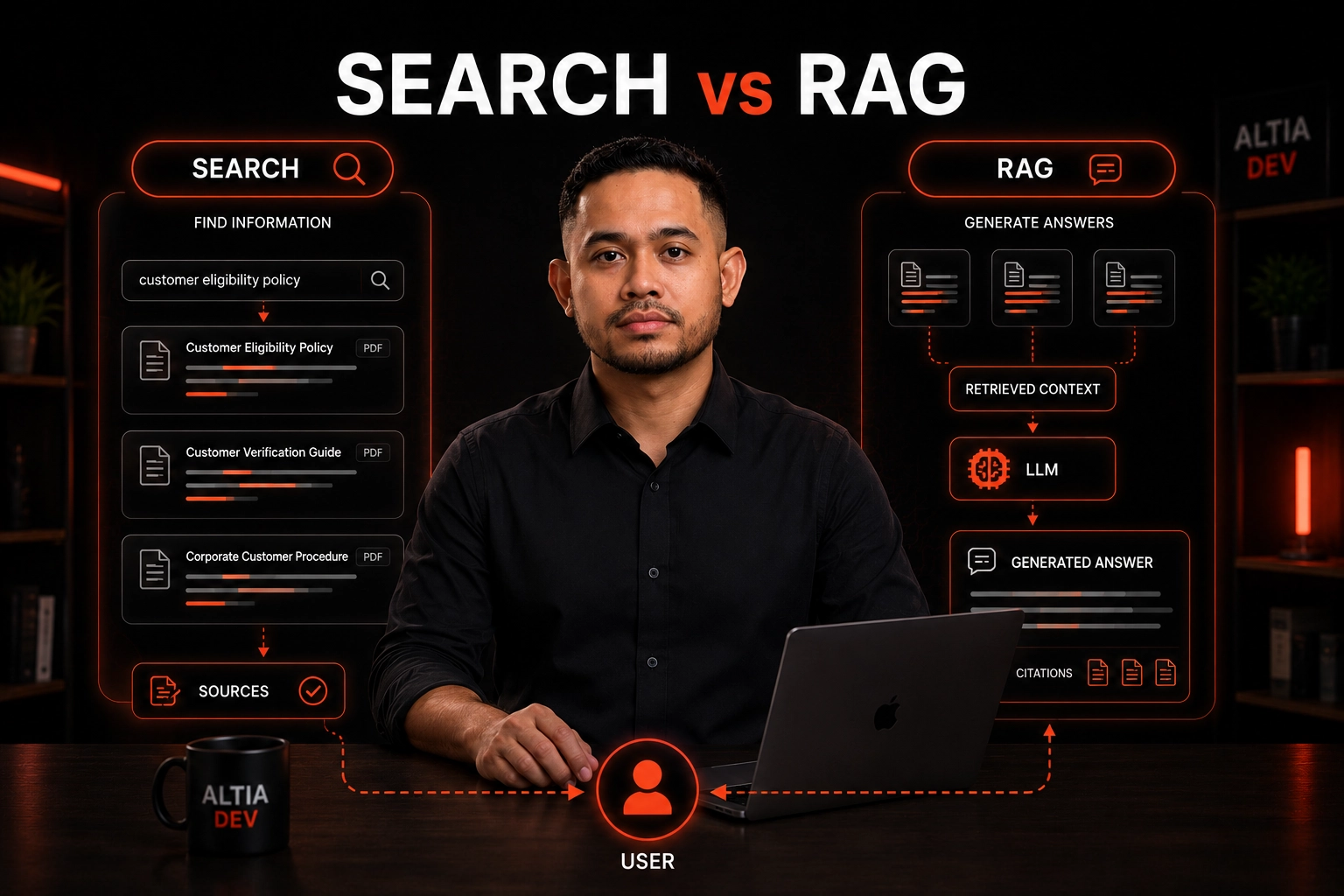
RAG vs Search: What Should a Business Knowledge System Use?
Should your knowledge system use search, RAG, or both? A practical guide to choosing the right architecture based on real product requirements.
Alfredo Gemilang
Meilisearch vs Vector Search: Which Should You Use?
Compare keyword, vector, and hybrid search to choose the right retrieval architecture for knowledge systems, AI applications, and enterprise search.
Alfredo Gemilang
How to Turn Complex PDFs into Structured Knowledge
Learn how AI-assisted document processing can turn complex PDFs into structured, searchable business knowledge with human review and workflow controls.
Alfredo Gemilang