
Meilisearch vs Vector Search: Which Should You Use?
Compare keyword, vector, and hybrid search to choose the right retrieval architecture for knowledge systems, AI applications, and enterprise search.


Table of Contents
When a team starts building an AI-powered knowledge system, one architecture question appears quickly:
Should we use a traditional search engine or vector search?
The question sounds straightforward, but the comparison is slightly misleading.
Meilisearch and vector search are not necessarily competing categories.
Meilisearch is a search engine that provides full-text search and also supports vector and hybrid retrieval capabilities. Vector search is a retrieval technique based on semantic similarity. Modern search systems can combine both approaches.
So the more useful question is:
What kind of retrieval does your application actually need?
If users frequently search for exact names, codes, product identifiers, policy numbers, or technical terms, keyword matching can be extremely valuable.
If users describe what they want using different words from those used in the source content, semantic retrieval can become much more useful.
And if the application needs both, hybrid search may be the better architecture.
The Wrong Question to Start With #
A common architecture discussion starts like this:
"Should we use vector search because this is an AI project?"
That is backwards.
Start with the users.
Ask:
flowchart TD
    A["What do users search for?"] --> B["How do they phrase queries?"]
    B --> C["What makes a result relevant?"]
    C --> D["How precise must the result be?"]
    D --> E["What filters and permissions apply?"]
    E --> F["Select retrieval architecture"]
Only then should the retrieval architecture be selected.
This matters because search is not just a technology choice.
It is part of the product experience.
How Keyword Search Works #
Keyword search retrieves documents based primarily on the terms contained in the query and indexed content.
Imagine a knowledge base containing:
A user searches:
customer verificationA keyword-oriented search system can directly identify documents containing those terms.
This is particularly useful when the exact vocabulary matters.
Examples include:
Keyword search has another important property:
It is easy for users to understand why a result matched.
If the user searches for:
ERR-402
they generally expect documents containing ERR-402 to be highly relevant.
Semantic similarity is not necessarily better for that type of query.
How Vector Search Works #
Vector search approaches retrieval differently.
Instead of primarily asking:
"Does this document contain these words?"
the system represents content and queries as vectors and searches for items that are close in the resulting vector space.
Conceptually:
flowchart TD
    subgraph Indexing
        A[Document] --> B[Embedding] --> C[Vector]
    end
    subgraph Querying
        D[Query] --> E[Embedding] --> F[Vector]
    end
    F --> G[Similarity Search]
    C --> G
    G --> H[Relevant Results]
This allows a search to find conceptually related content even when the wording differs.
For example, a user might search:
How do I become eligible for a corporate account?while the source document might use:
Corporate customer qualification requirementsThe words are different.
The meaning is related.
That is where semantic retrieval can be useful.
Where Keyword Search Wins #
Keyword search is still highly relevant.
It is often the better choice when the query contains information that should be matched precisely.
1. Exact Identifiers #
Examples:
INV-2026-00481
ERR-402
SKU-AX91
POLICY-17
Exact matching matters more than semantic similarity.
2. Names and Proper Nouns #
Examples: MARS Outbound, CRM, QMS, Laravel, Meilisearch.
If the user explicitly knows the name, returning semantically similar concepts is not necessarily helpful.
3. Technical Terms #
Technical documentation often contains vocabulary that should remain precise.
For example: OAuth, SAML, SMTP, DNS, Laravel, PostgreSQL.
A semantic search engine can understand relationships between concepts, but the exact term may still be the strongest retrieval signal.
4. Filtering and Structured Retrieval #
Business search often involves more than relevance.
Users may need:
Project = A
Category = Policy
Status = Published
Date > 2026-01-01
This means the retrieval system must work with structured metadata and filtering as part of the overall experience.
Where Vector Search Wins #
Vector search becomes attractive when the user does not know the exact vocabulary used by the source documents.
1. Natural-Language Queries #
Consider:
How can I check whether a new customer is eligible?The source might say:
Customer qualification criteriaA semantic retrieval system can bridge the vocabulary difference.
2. Conceptual Discovery #
Users sometimes know the problem but not the terminology.
For example:
How do we handle customers who don't have all the required documents?The knowledge base may contain a section called:
Incomplete Documentation ProcedureA keyword search may have less overlap.
Semantic retrieval can potentially identify the conceptual relationship.
3. Knowledge Discovery #
Vector search is useful when users are exploring a topic rather than looking for a known item.
This is particularly relevant for knowledge systems where users may ask questions in natural language.
What Hybrid Search Changes #
The choice does not have to be:
Keyword OR VectorIt can be:
Keyword + Vector = HybridHybrid search combines lexical matching with semantic retrieval. Meilisearch currently describes hybrid search as combining keyword precision with semantic understanding and provides controls for balancing the two approaches.
Conceptually:
flowchart TD
    A[Query] --> B[Keyword Search]
    A --> C[Vector Search]
    B --> D[Ranked Results]
    C --> D
This can be useful because real search behavior is mixed.
One user might search:
QMSwhile another might ask:
What procedure explains quality management requirements?The first query benefits heavily from lexical precision.
The second benefits more from semantic understanding.
A hybrid system can support both patterns.
Meilisearch Is Not the Opposite of Vector Search #
This distinction is important.
The comparison "Meilisearch vs Vector Search" can imply that one replaces the other.
That is not necessarily true.
Meilisearch supports full-text search and also provides vector and hybrid search capabilities.
So the more accurate comparison is:
flowchart LR
    A[Full-Text Retrieval] --- D[Choose based on requirements]
    B[Vector Retrieval] --- D
    C[Hybrid Retrieval] --- D
with Meilisearch being one possible platform for implementing these retrieval patterns.
This is a much more useful architectural discussion.
A Practical Decision Framework #
Instead of choosing based on trends, use a decision matrix.
| Requirement | Keyword | Vector | Hybrid |
|---|---|---|---|
| Exact identifiers | Excellent | Weak | Excellent |
| Exact terminology | Excellent | Variable | Excellent |
| Typo tolerance | Strong | Not the primary purpose | Strong |
| Meaning-based retrieval | Limited | Strong | Strong |
| Natural-language queries | Variable | Strong | Strong |
| Known-item search | Excellent | Variable | Excellent |
| Discovery | Limited | Strong | Strong |
| Structured filters | Strong | Depends on architecture | Strong |
| Implementation simplicity | Strong | More components | Moderate |
| Need for semantic model | No | Yes | Yes |
| Need for lexical precision | Yes | Not necessarily | Yes |
The table is intentionally directional rather than absolute.
The quality of each approach depends on the implementation, data, ranking strategy, and query patterns.
A Better Architecture Question #
Rather than asking:
"Which search technology is best?"
ask:
"Which retrieval signals matter for our users?"
For example:
Scenario A: Internal Documentation #
Users search:
SMTP configuration
SSO setup
DNS configuration
Keyword search may already solve a large part of the problem.
Scenario B: Large Knowledge Base #
Users ask:
What should an employee do when a customer cannot provide the required documents?Semantic retrieval becomes more attractive.
Scenario C: Enterprise Knowledge System #
Users search both:
QMSand:
What process handles quality management requirements?Hybrid retrieval becomes a strong candidate.
Search Architecture Is Also an Information Architecture Problem #
There is another lesson that often gets missed.
Search quality does not begin at the search engine.
It begins with the data.
If the knowledge system contains:
then the retrieval system has more meaningful signals to work with.
This connects directly to the previous article:
How to Turn Complex PDFs into Structured Knowledge
The pipeline was:
flowchart TD
    A[PDF] --> B[Understand]
    B --> C[Structure]
    C --> D[Review]
    D --> E[Publish]
    E --> F[Search]
The quality of the search layer depends partly on what happens before the search query is executed.
Better structured knowledge creates better retrieval opportunities.
A Real-World Example #
In an enterprise knowledge management system we built, the platform used Laravel with Meilisearch as its search layer.
The system was designed around multiple projects, with each project having its own users and knowledge context.
Conceptually:
flowchart TD
    A[Organization] --> B[Project A]
    A --> C[Project B]
    B --> D[Users]
    B --> E[Knowledge]
    C --> F[Users]
    C --> G[Knowledge]
The platform also included an AI-assisted document workflow:
flowchart TD
    A[PDF] --> B[Read]
    B --> C[Understand Structure]
    C --> D["Generate Title / Category / Content"]
    D --> E[Admin Review]
    E --> F[Publish]
The important engineering lesson here is not that one particular search technology is universally correct.
It is that retrieval has to fit the knowledge model and the user workflow.
The project used Meilisearch as the search layer because search was one component of a larger application architecture.
That is the kind of decision that should be made from system requirements rather than from the label "AI."
Common Architecture Mistakes #
1. Adding Vector Search Because the Product Uses AI #
An AI feature does not automatically require vector search.
Ask what users actually need to retrieve.
2. Assuming Semantic Search Is Always Better #
Semantic relevance can be extremely useful.
But if a user searches for:
ERR-402finding a conceptually related error is not necessarily better than finding the exact identifier.
3. Ignoring Exact-Match Signals #
Names, identifiers, codes, technical terms, and policy references can carry strong lexical signals.
Do not throw those signals away simply because semantic search is available.
4. Evaluating Search Without Real Queries #
A search architecture should be tested against realistic user queries.
Create a small evaluation set:
Then compare retrieval quality.
5. Choosing the Database Before Defining Retrieval #
Search is not just a storage decision.
First define: What is a relevant result?
Then design the retrieval architecture around that definition.
6. Ignoring Permissions #
Enterprise knowledge systems often have multiple projects, users, and content boundaries.
A search result is only useful if the user is actually allowed to access the underlying knowledge.
Retrieval and authorization therefore need to be designed together.
What We Would Recommend #
For a new knowledge system, do not start with vector search by default.
Start with a query taxonomy.
Collect representative queries and classify them:
Then evaluate which retrieval signals each class needs.
A practical progression can be:
flowchart TD
    A["Phase 1: Full-Text Search"] --> B[Measure real queries]
    B --> C[Identify semantic gaps]
    C --> D["Phase 2: Add Semantic Retrieval"]
    D --> E[Evaluate Hybrid Search]
    E --> F["Phase 3: Tune Ranking"]
This approach keeps the architecture driven by evidence.
When I Would Choose Each Approach #
Choose Keyword Search When #
Choose Vector Search When #
Choose Hybrid Search When #
The third option is increasingly important because real-world search behavior rarely fits into one category.
Conclusion #
The question is not:
Meilisearch or vector search?
The better question is:
What kind of relevance does your application need?
Keyword retrieval is great when exact terms matter.
Vector retrieval is useful when meaning matters more than wording.
Hybrid retrieval combines both when users need both signals.
And Meilisearch should not be framed as the opposite of vector search. Modern Meilisearch supports full-text, vector, and hybrid retrieval capabilities, so the architecture decision is really about choosing the right retrieval strategy for the application.
For business knowledge systems, I would start with the users' actual queries, build a small evaluation set, and only add semantic retrieval where it solves a demonstrated problem.
That keeps the architecture simple where simplicity is enough, and introduces AI where it genuinely improves retrieval.
Explore other insights on engineering, AI, design, and digital systems.
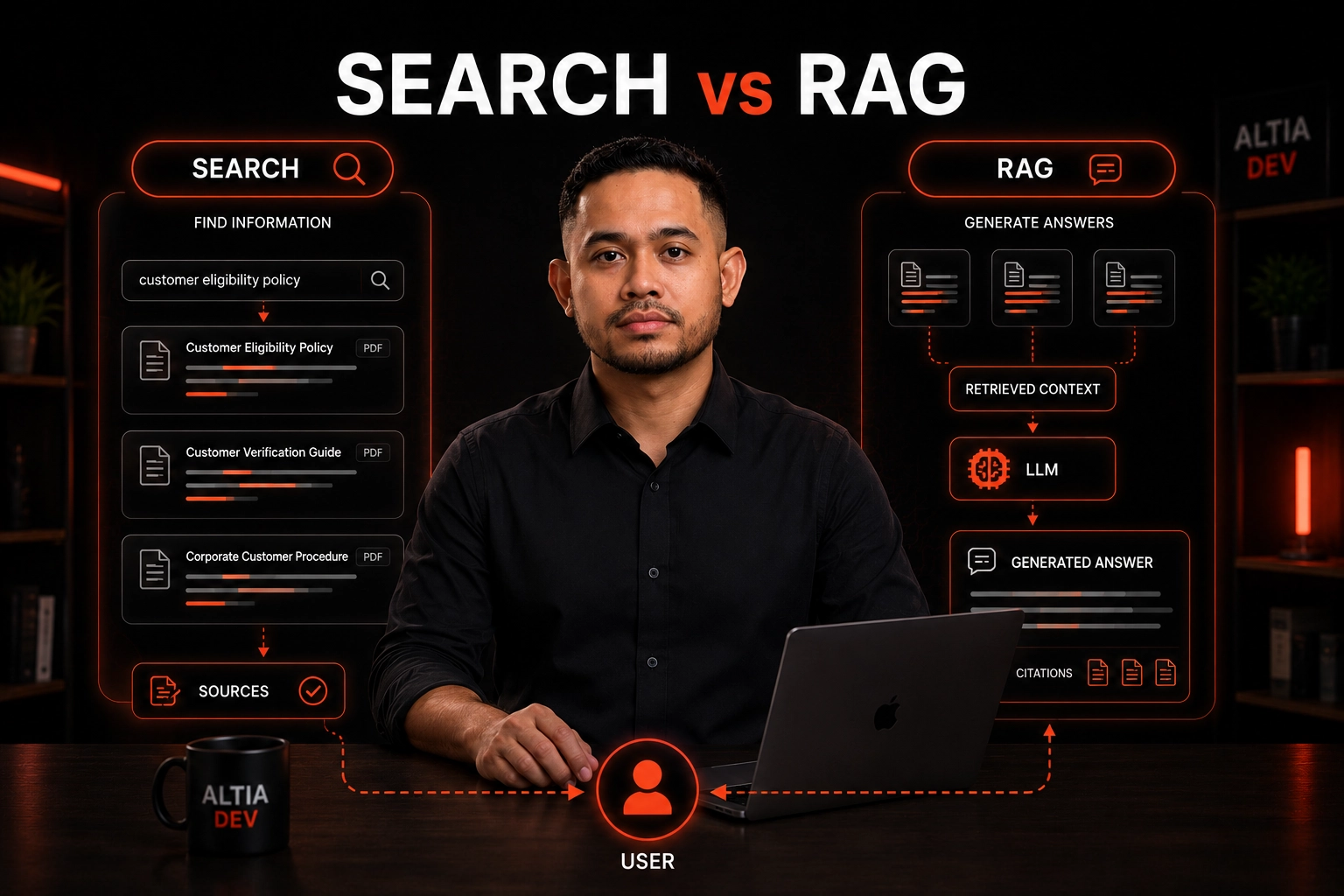
RAG vs Search: What Should a Business Knowledge System Use?
Should your knowledge system use search, RAG, or both? A practical guide to choosing the right architecture based on real product requirements.
Alfredo Gemilang
How to Turn Complex PDFs into Structured Knowledge
Learn how AI-assisted document processing can turn complex PDFs into structured, searchable business knowledge with human review and workflow controls.
Alfredo Gemilang
Human-in-the-Loop AI: Why Automation Should Not Mean No Review
Learn when AI should decide and when humans must stay in control — and how to design review workflows that automate the repetitive without removing accountability.
Alfredo Gemilang